

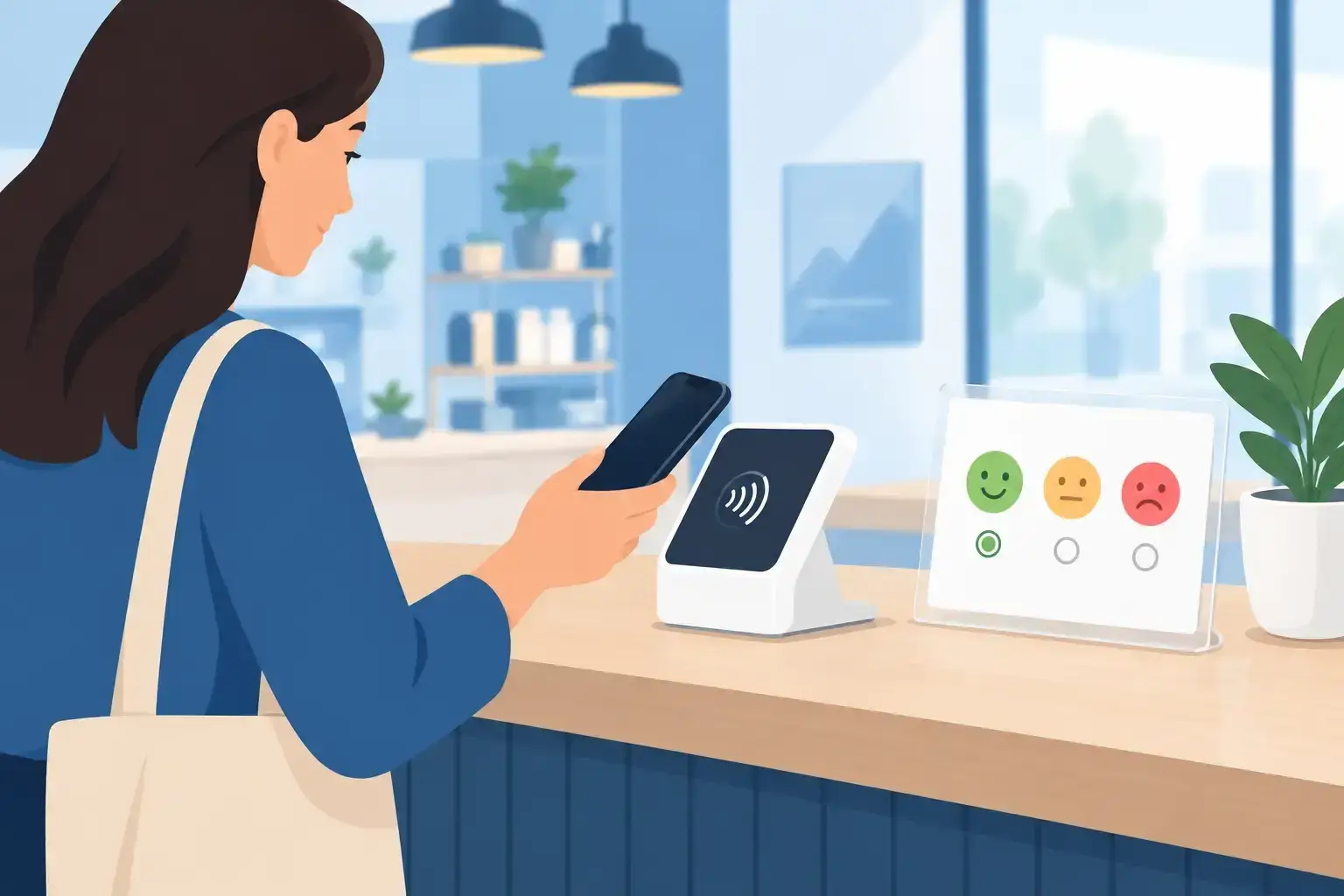
A great customer experience has a short window to become a public review. The meal has just ended, the appointment is complete, or the purchase is in hand. When you create NFC review stations around that moment, customers can leave feedback with a simple phone tap or QR scan instead of trying to remember later.
That small reduction in effort matters. Most happy customers are willing to support a business, but few will search for a review page after they walk out the door. An elegant, well-placed review station turns appreciation into action while the experience is still fresh.


Why NFC review stations generate more feedback
NFC stands for Near Field Communication. A customer holds a compatible smartphone close to an NFC-enabled card, stand, plaque, or table tent, and the phone opens the review destination automatically. QR codes provide a useful second option for customers who prefer to scan.
The value is not the technology alone. It is the timing and the presentation. A review request feels natural when it appears at the point where a customer has received value: at a restaurant table, beside a reception desk, at checkout, or near an exit.
A physical station also gives your team a consistent way to ask. Instead of relying on staff to explain a complicated process, they can simply say, “If you enjoyed your visit, tap or scan here to leave us a review.” The request is polite, fast, and easy to repeat during busy service hours.
For customer-facing businesses, more recent reviews can support stronger local visibility, build trust before a prospect calls, and give future customers a clearer reason to choose you. The goal is not to pressure every visitor. It is to make it exceptionally easy for satisfied customers to share an honest experience.
How to create NFC review stations that fit your business
The best setup depends on your service flow, physical space, and the platform that matters most to your customers. A café with counter ordering needs a different approach than a dental practice with private treatment rooms. Start with the experience you want customers to have after they tap.
1. Choose one clear destination
Decide where each station should send people. For many local businesses, Google Reviews is the priority because ratings appear prominently in local search and on Google Maps. Hotels may also want to collect TripAdvisor or Booking feedback. Retail, beauty, fitness, and service businesses may direct customers to Facebook, Trustpilot, Instagram, WhatsApp, or a custom page.
Avoid making the first interaction confusing. If Google reviews are your primary growth channel, send the station directly to your Google review form. If you have a multi-channel strategy, use separate stations in different contexts or a branded landing page that lets customers choose. The right approach depends on whether you need maximum simplicity or broader engagement.
A flexible NFC and QR product is especially useful because you can assign or change the destination after purchase. That gives you room to update a link when a campaign, location, or business priority changes.
2. Match the station format to the moment
A review station should feel like part of the environment, not an afterthought taped to a wall. Choose a format based on where the customer pauses and how much space you have.
Restaurants and cafés often benefit from table tents, coasters, countertop stands, and bill-folder inserts. A premium stand near the register works well for quick-service businesses where customers naturally wait for payment or pickup. Hotels can place elegant review displays at the front desk, in rooms, or near concierge areas.
Clinics, dental offices, salons, and spas may prefer a polished desk stand at reception, a smart tag at checkout, or a compact plaque near the exit. Gyms can use a stand at the front desk and NFC-enabled keyrings or cards for member touchpoints. Retailers may use a counter display beside the payment terminal, then add QR or NFC stickers to bags, receipts, or product packaging.
The station should be visible without getting in the way. A large display can make sense at a hotel lobby desk, while a small, durable NFC tag may be better for a crowded coffee counter.
3. Use a message that makes the action clear
Customers should understand what happens before they tap. The strongest call to action is direct, friendly, and specific: “Loved your visit? Tap here to leave us a Google review.”
Vague messages such as “Connect with us” may work for social media, but they do not set the right expectation for review collection. Be clear about the destination and the action. If you are using a QR code alongside NFC, include simple language such as “Tap or scan.”
Keep the message short. The physical display has one job: get a customer from a good experience to the correct digital page with minimal hesitation. A polished review stand with your logo, brand colors, and a concise request looks more credible than a generic printed sign.
4. Customize the design for trust
A branded NFC review station signals that the request is legitimate and intentional. Customers are more likely to engage when the display looks like it belongs at your business. Add your logo, use your brand colors, and select materials that reflect your customer experience.
For a luxury spa, boutique hotel, or high-end clinic, a premium stand or custom plaque can reinforce the quality customers have just experienced. For a busy restaurant or retail counter, a durable, easy-to-clean tabletop display may be the practical choice. Design should support the setting, not compete with it.
Customization also matters when you operate multiple locations. Each location can have its own review link and branded display, helping you collect feedback for the correct Google Business Profile rather than sending every customer to one general destination.
Place NFC review stations where satisfaction peaks
Location is often more important than quantity. One well-positioned station can outperform several displays placed where customers do not stop or notice them.
Think about the final positive interaction. At a restaurant, that may be when the check arrives or when guests thank their server. At a salon, it may be at the reception desk after a client sees the finished result. At a medical or dental office, the most appropriate moment is usually after checkout, not during care. In retail, the payment counter and packaging area are natural choices.
Use more than one station only when each has a purpose. A hotel might place one at the front desk for check-in and checkout, plus a second in a room or lounge area. A restaurant might pair table tents with a register display. Repetition can help, but overcrowding the space can make the request feel pushy.
Test placement for a few weeks. If customers tap frequently at checkout but ignore a display by the door, move your effort to the higher-performing location. Physical review collection improves when it is treated as part of the customer journey rather than a decoration.
Train staff to ask without interrupting service
The best review station still needs a light human prompt. Staff should not ask every customer at random or request reviews before a problem has been resolved. Instead, they should recognize positive signals: a compliment, a repeat visit, a customer praising a team member, or a guest who clearly enjoyed the experience.
A simple script is enough: “We’re glad you enjoyed it. If you have a moment, you can tap this stand to leave a review.” In a hospitality setting, staff can mention the display while handing over the check. At a clinic or salon, front-desk staff can make the request as they complete checkout.
Consistency matters more than a hard sell. Make sure team members know which station to point to, what platform it opens, and how to help if a customer’s phone does not support NFC. The QR code gives customers a reliable alternative.
Never offer discounts, gifts, or special treatment in exchange for positive reviews. Ask for honest feedback, follow the platform’s review policies, and focus on delivering an experience worth sharing.
Measure what is working and keep improving
Review stations are a practical growth tool, so track their impact. Monitor the number of new reviews, average rating, review frequency, and the locations or departments receiving the most mentions. Look beyond the total count. Recent feedback and thoughtful customer comments can be just as valuable for trust and local reputation.
If results are slow, do not assume NFC is the problem. Check whether the station is visible, whether the destination opens correctly, and whether staff are mentioning it at the right moment. A direct Google review link generally creates less friction than sending customers to a homepage where they must search again.
You can also rotate placements and messages. A restaurant may find that “Tell us how we did” performs differently from “Loved your meal? Tap to review us.” A clinic may find that a discreet desk display works better than a large sign. Small adjustments can create meaningful gains over time.
ReviewsLink products make it possible to combine NFC and QR access in polished formats, from compact smart tags to customized branded displays. The right product is the one that fits naturally into your operation and makes your next customer action obvious.
A review request should feel like a continuation of good service. Put a clear tap-or-scan option in the moment customers are already smiling, and let the quality of the experience do the convincing.