A QR code on a restaurant table tent, clinic reception stand, or checkout counter has one job: make the next customer action effortless. But the choice between static versus editable QR codes determines what happens when your review link, campaign, or business needs change after that code has been printed.
For customer-facing businesses, this is not a technical detail to overlook. A well-placed QR code can turn a positive in-person experience into a Google review, a TripAdvisor rating, a social follow, or a WhatsApp conversation in seconds. Choosing the right type helps protect that opportunity – and the investment in the physical display carrying it.


What Is a Static QR Code?
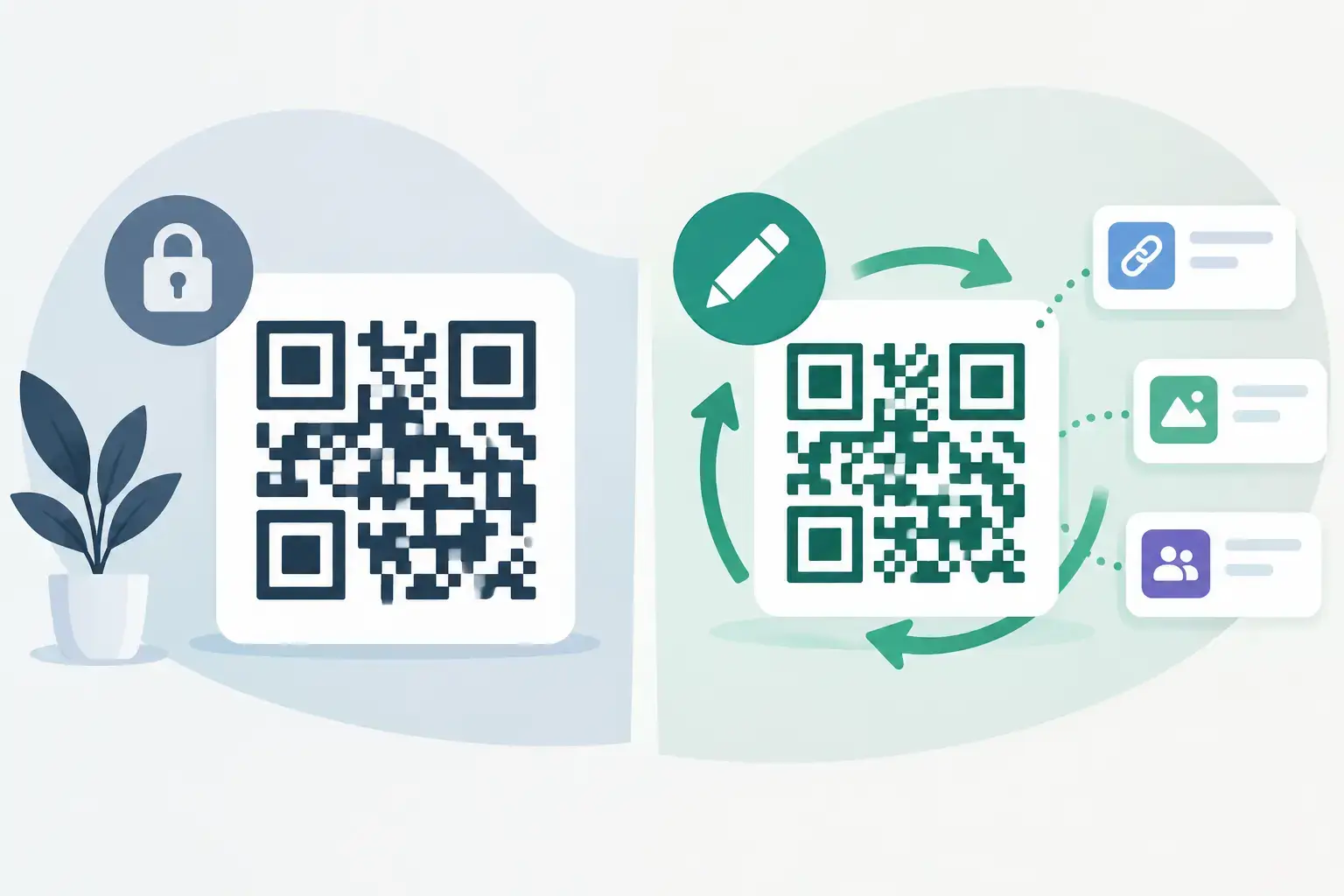
A static QR code stores the destination directly inside the code itself. When a customer scans it, their phone reads the URL and opens that exact destination. The code does not rely on a management dashboard or redirect service to work.
That simplicity has real advantages. Static codes are generally quick to create, do not require ongoing management, and will keep working as long as the destination URL remains active. If a small business has one permanent web address and no need for reporting or future changes, a static code can be a perfectly reasonable choice.
The limitation appears the moment the link needs to change. Perhaps your Google review URL was entered incorrectly, you have moved locations, you want to promote a seasonal booking page, or you decide to send customers to a different platform. With a static code, the printed code cannot be edited. The practical fix is to create a new code and replace every sticker, card, table tent, sign, or display that uses it.
For a single flyer, that may be minor. For a hotel with QR displays at the front desk, in guest rooms, and throughout its dining areas, it can create unnecessary cost and disruption.
What Is an Editable QR Code?
An editable QR code, sometimes called a dynamic QR code, sends the customer through a short redirect address before opening the final destination. The QR pattern stays the same, while the destination behind it can be updated in a management system.
That means a business can change where customers land without changing the physical product. The same elegant countertop stand that initially sends guests to Google Reviews could later be updated to a TripAdvisor page, a booking link, a feedback form, or a campaign-specific landing page.
Editable codes are especially valuable for review collection because reputation priorities can shift. A new business may focus on building Google Reviews first. A boutique hotel may later want more TripAdvisor feedback. A salon running a social campaign might send customers to Instagram for a limited period, then switch back to its preferred review platform. The display stays in place while the digital destination changes.
Static Versus Editable QR Codes: The Business Difference
The core difference is permanence versus flexibility. Static QR codes make sense when the destination is truly fixed. Editable QR codes make more sense when the physical item will stay in use but the destination may evolve.
For most businesses that collect reviews in person, the physical product is designed to last. Premium review stands, table tents, plaques, and branded cards are not disposable campaign materials. They represent your business at the point where a customer is most likely to take action. Giving those products a link that can be changed later protects their long-term value.
Editable codes also reduce risk. A review platform may update a URL format, a business may need to correct a link assignment, or a marketing team may want to test which destination produces more customer engagement. With an editable setup, these changes can happen behind the code rather than requiring a reprint.
There is a trade-off. Editable QR codes usually depend on a service or platform that manages the redirect. The provider needs to maintain that service, and the business needs access to update its destination when needed. That is why it is worth choosing a provider that makes link assignment clear and keeps the process simple for non-technical teams.
When a Static Code Is the Right Choice
Static codes are not outdated or automatically inferior. They work well in a few specific situations.
A business may use a static QR code for a permanent company website, a fixed digital menu, or a document that will only be printed once in a limited quantity. They can also be useful where the owner is certain the destination will never need to change and does not need scan data or campaign control.
The best question is not, “Which code is better?” It is, “How expensive or inconvenient would it be to replace this code if our needs change?” If the answer is “not expensive at all,” static may be enough. If the code will appear on a custom acrylic stand, dozens of table displays, product packaging, or a premium plaque, flexibility is usually the stronger business decision.
Why Editable Codes Support Better Review Campaigns
A review request works best when it arrives at the right moment: after a great meal, at the end of a successful appointment, after checkout, or when a customer compliments your team. A QR code gives them a private, convenient next step without requiring staff to spell out a link or hand over a device.
Editable QR codes keep that process useful as your goals change. A restaurant can direct table guests to Google Reviews while directing hotel guests at the front desk to TripAdvisor. A dental practice can use one display for Google reviews and another for a post-visit survey. A retailer can assign different destinations to separate departments or locations without redesigning every branded asset.
They also support cleaner operations across multi-location businesses. Each location can have its own assigned destination, which helps customers reach the correct profile and prevents reviews from being split across the wrong listing. When a location opens, relocates, or changes its preferred review platform, the business can update the assignment instead of replacing finished materials.
Do Editable QR Codes Track Scans?
Many editable QR code systems can provide scan reporting, although the available detail varies by provider. Scan data can show whether customers are interacting with a display and help identify high-performing placements.
For example, a café may find that its counter display receives more scans than table tents, while a spa may see stronger engagement from a QR card handed over after a treatment. This does not replace review-platform data, and a scan does not guarantee a completed review. But it can reveal whether customers are reaching the first step.
Use this information carefully. The goal is not to overwhelm staff with dashboards. It is to make better decisions about display placement, call-to-action wording, and which customer moments deserve attention.
QR Codes and NFC Work Better Together
QR codes are familiar because nearly every modern smartphone camera can scan one. NFC adds another low-friction option: customers can tap a compatible phone against an NFC-enabled display to open the same destination.
For a business, offering both gives customers a choice. Some will scan immediately; others will tap when they see the prompt. The destination can remain consistent across both methods, creating a polished experience at the table, counter, reception desk, or checkout area.
ReviewsLink products are designed around this simple scan-or-tap behavior, with options ranging from stickers and cards to branded stands, plaques, coasters, and custom displays. The physical format matters because visibility matters. A luxury hotel lobby may need a refined reception stand, while a busy café may get better results from compact counter signage or tabletop coasters.
How to Choose for Your Business
Start with the lifespan of the physical item. If you are printing a short-term event handout, a static code may be practical. If you are investing in durable branded review materials, an editable destination gives you more control.
Then consider your likely next move. Will you ever want to change platforms, update a URL, add a campaign, separate locations, or test a different customer journey? Most growing businesses eventually answer yes. In that case, editable QR codes provide room to adapt without starting over.
Finally, make the customer action obvious. Place the code where the experience is fresh, use a direct prompt such as “Leave us a Google review,” and make sure the destination opens exactly where customers expect. A beautiful display is valuable, but clarity is what turns attention into action.
The best QR code is not simply the one that scans. It is the one that keeps working for your business after your first campaign, first location, and first set of goals have changed.